








 Projector
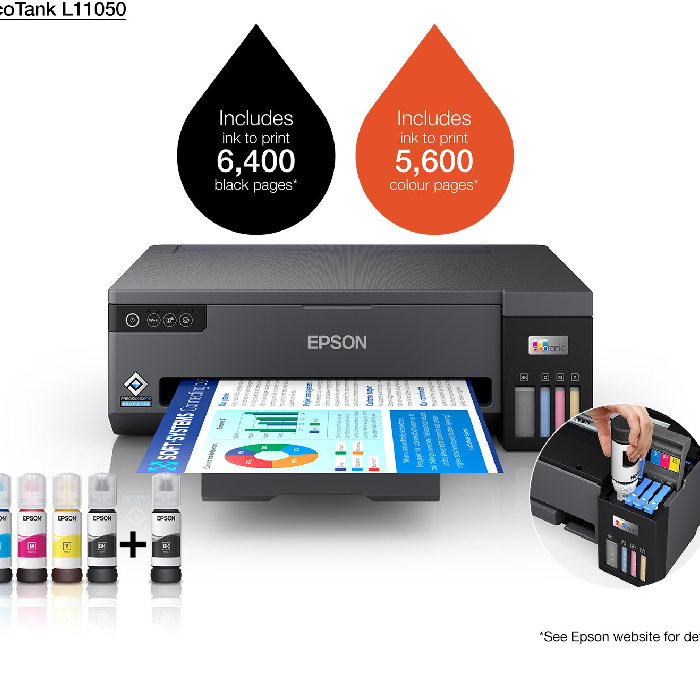
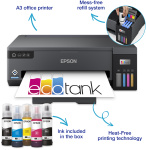
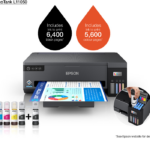
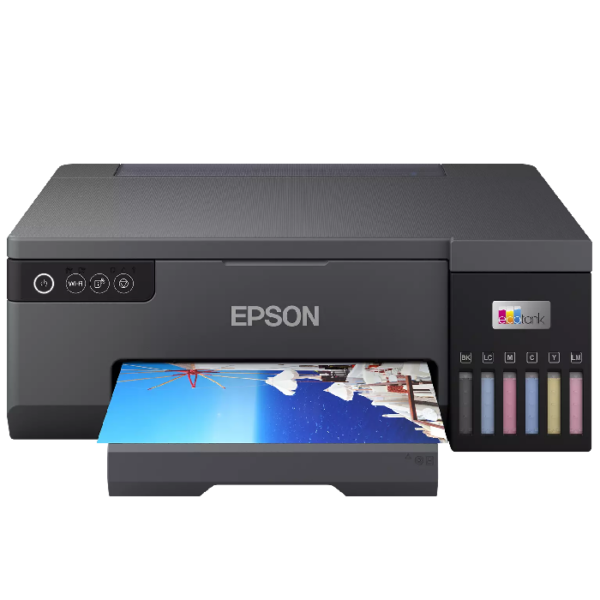
Epson L11050 printer: The Ultimate A3 Wide-Format Printing Solution
If you are looking for wide-format professional printing, exceptional reliability, and wireless convenience, the Epson L11050 printer, available now at iMAP Stores, is your absolute best choice. Designed specifically for architectural firms, engineering offices, corporate workspaces, and advertising agencies that require large-scale document and graphic printing, this A3 EcoTank printer delivers breathtaking performance at an amazingly low cost per print.
Key Features of the Epson L11050 printer:
Wide-Format A3 Printing: Expand your business capabilities beyond standard documents. The Epson L11050 printer handles large-scale spreadsheets, CAD drawings, blueprints, and marketing posters with absolute ease and pristine clarity.
Advanced Wireless and Network Connectivity: Print smoothly and directly from your computers, laptops, smartphones, and tablets using built-in Wi-Fi, Wi-Fi Direct, and Ethernet networking, ensuring a clutter-free and efficient office workflow.
Ultra-Low Cost Printing: Say goodbye to expensive cartridges. The high-capacity ink tank system of the Epson L11050 printer yields thousands of pages before needing a refill, drastically lowering your daily operational and printing expenses.
High-Speed Productivity: Engineered to keep up with demanding office environments, the Epson L11050 printer delivers high-speed printing without compromising on sharpness, text legibility, or image precision.
Compact and Reliable Design: Despite supporting wide-format A3 output, the Epson L11050 printer features a space-saving footprint that fits professionally into modern office spaces while offering enhanced long-term durability.
Why Buy the Epson L11050 printer from iMAP Stores? At iMAP Stores, we provide top-tier IT hardware, professional office solutions, and competitive B2B pricing backed by expert customer service. We understand the precise demands of businesses and enterprises in Egypt, delivering authentic equipment that guarantees long-term reliability, maximum productivity, and an exceptional return on investment.
Order your Epson L11050 printer today and elevate your business printing capa
🙋♂️ الأسئلة الشائعة حول طابعة Epson EcoTank L11050 (مقاس A3+)
1. ما هو الحجم الأقصى للورق الذي يمكن لهذه الطابعة طباعته؟
-
الإجابة: الميزة الأساسية لطابعة L11050 هي قدرتها على طباعة مقاسات كبيرة تصل إلى A3+ (Super A3)، بالإضافة طبعاً للمقاسات القياسية مثل A3، A4، A5، B4، B5، والأظرف والرسائل.
2. هل تحتوي الطابعة على ماسح ضوئي (Scanner) أو ميزة تصوير؟
-
الإجابة: لا، طابعة L11050 هي طابعة وظيفة واحدة فقط (Single-Function) مخصصة للطباعة. تم التركيز في تصميمها على توفير طباعة عريضة (A3+) عالية الجودة واعتمادية بأقل تكلفة ممكنة، دون إضافة أجزاء المسح الضوئي.
3. هل تدعم طابعة L11050 الاتصال اللاسلكي والطباعة من الهاتف؟
-
الإجابة: نعم، وبشكل كامل. على عكس الموديلات القديمة من فئة الـ A3، يأتي هذا الموديل مجهزاً بتقنية Wi-Fi و Wi-Fi Direct. يمكنك الطباعة لاسلكياً بكل سهولة من الكمبيوتر، أو من هاتفك المحمول عبر تطبيق Epson Smart Panel.
4. كم عدد الألوان التي تستخدمها الطابعة، وما هي فئتها المستهدفة؟
-
الإجابة: تعمل الطابعة بنظام 4 ألوان (أسود، أزرق، أرجواني، أصفر). وهي موجهة خصيصاً لـ:
-
المهندسين والمكاتب الاستشارية: لطباعة الرسومات الهندسية والمخططات (CAD & Blueprints).
-
مكاتب الدعاية والإعلان: لطباعة البوسترات، العروض التقديمية، ومواد التسامي (Sublimation) بعد تعديلها.
-
المستندات اليومية: للشركات التي تحتاج لتقارير وجداول بيانات ضخمة (Excel Sheets) على ورق كبير.
-
5. ما هي أرقام الأحبار المتوافقة مع هذا الموديل، وكم صفحة تطبع؟
-
الإجابة: تستخدم الطابعة زجاجات حبر Epson 103 الأصلية. وتتميز بإنتاجية عالية جداً وموفرة للميزانية:
-
الحبر الأسود: يطبع حتى 4500 صفحة (مقاس A4).
-
الأحبار الملونة: تطبع حتى 7500 صفحة (مقاس A4).
-
(ملاحظة: عدد الصفحات يقل عند الطباعة بمقاس A3 نظراً لكبر مساحة الورقة).
-
6. هل تدعم الطابعة ميزة الصيانة الذاتية واستبدال الأجزاء يدويًا؟
-
الإجابة: نعم، هذه واحدة من أكبر ترقيات هذا الموديل. يمكنك استبدال صندوق الصيانة (Maintenance Box / Waste ink pad) وبكرة التقاط الورق بنفسك وبسهولة دون الحاجة لنقل الطابعة إلى مركز الصيانة، مما يضمن عدم توقف عملك.
7. هل تدعم الطابعة ميزة الطباعة التلقائية على الوجهين (Duplex)؟
-
الإجابة: لا، الطباعة على الوجهين تتم يدوياً عن طريق إعدادات برنامج القيادة (Driver) على الكمبيوتر، حيث تقو
Reviews
Clear filtersThere are no reviews yet.